Here's a preview from my zine, The Secret Rules of the Terminal! If you want to see more comics like this, sign up for my saturday comics newsletter or browse more comics!
 get the zine!
read the transcript!
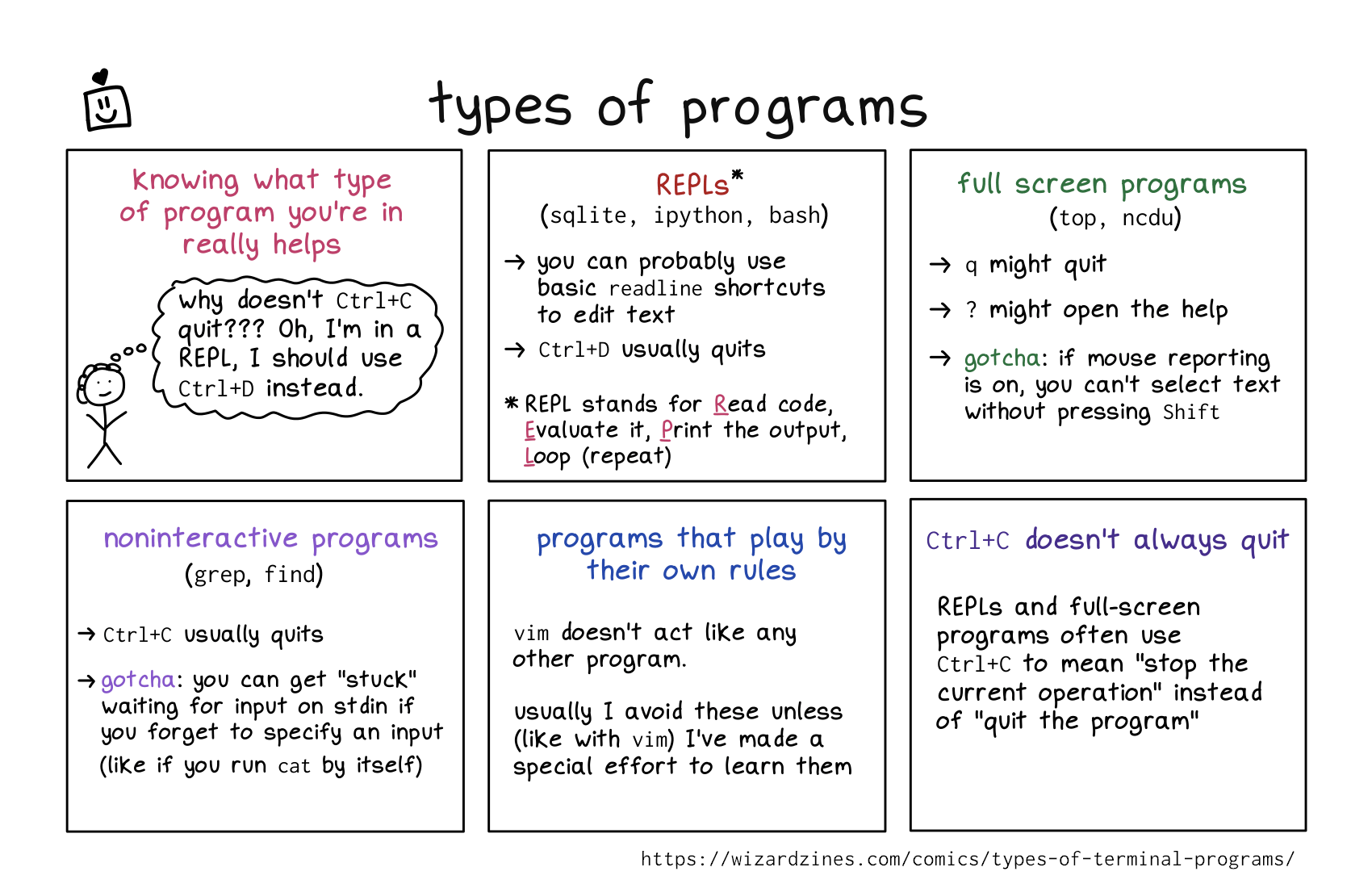
knowing what type of program you’re in really helps
stick person with curly hair, thinking: why doesn’t Ctrl+C quit?? Oh, I’m in a REPL, I should use CTRL+D instead.
1. REPLs
(sqlite, ipython, bash)
- you can probably use basic
readlineshortcuts to edit text Ctrl+Dusually quits- REPL stands for Read code, Evaluate it, Print the output, Loop (repeat)
2. full screen programs
(top, ncdu)
qmight quit?might open the help- gotcha: if mouse reporting is on, you can’t select text without pressing
Shift
3. noninteractive programs
(grep, find)
Ctrl+Cusually quits- gotcha: you can get “stuck” waiting for input on stdin if you forget to specify an input (like if you run
catby itself)
programs that play by their own rules
vim doesn’t act like any other program
usually I avoid these unless (like with vim) I’ve made a special effort to learn them.
CTRL+C doesn’t always quit
REPLs and full-screen programs often use CTRL+C to man “stop the current operation” instead of “quit the program”